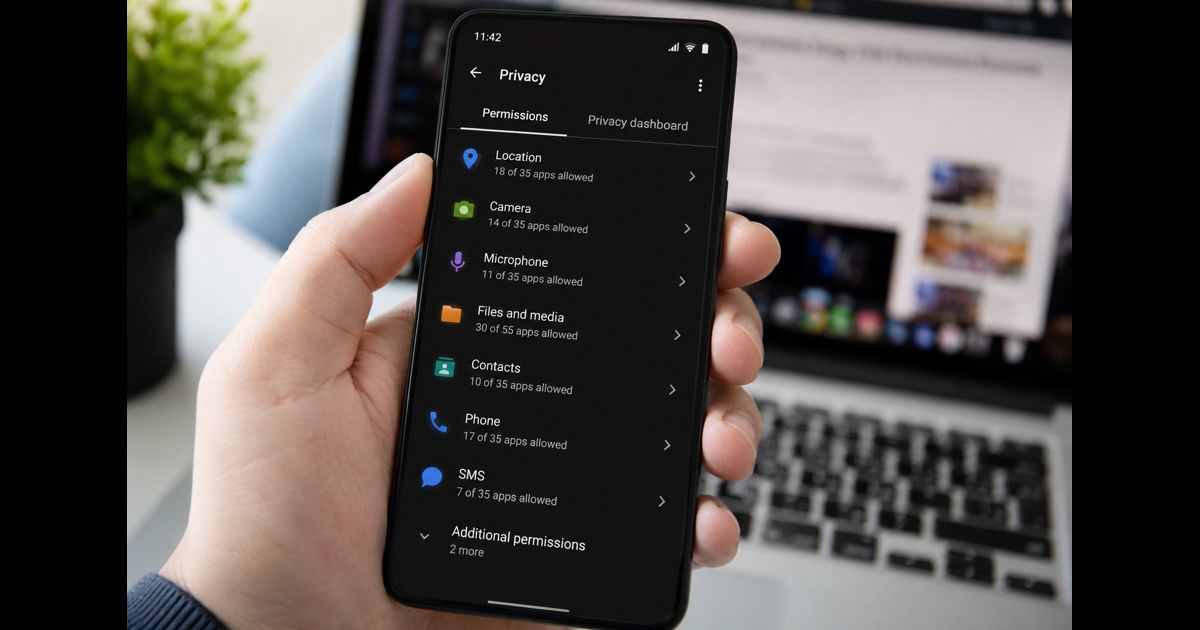
Knowing how to check what data an app collects requires more than looking at the permissions it requests. A permission shows what an app is allowed to access on your device. It does not necessarily show what information leaves the device, what is stored by the developer, whether it is linked to your identity, or whether another company receives it.
A more reliable check uses several pieces of evidence together: the app-store privacy disclosure, device permissions, recent access activity, network activity where available, the privacy policy, and the controls offered inside the app.
The quickest approach is:
- Check the app's privacy disclosure in Google Play or the Apple App Store.
- Compare the disclosed data with the app's main purpose.
- Review its current permissions on your phone.
- Check recent access to sensitive data where your device provides that history.
- Review tracking and network activity where available.
- Read the privacy policy for sharing, retention, advertising, account deletion, and other details the store summary cannot fully explain.
- Restrict unnecessary access or remove the app if its data practices cannot be justified.
The important question is not simply whether an app collects data. It is what it collects, why it needs it, where the information goes, and how much control you retain.
Start With the App Store Disclosure
Both major mobile app stores provide privacy information before installation, making the store listing the most practical first check.
On Android
Open the app's listing in Google Play and find Data safety. Open the detailed view rather than relying only on the summary.
Depending on the developer's declared practices, the section can identify:
- Types of data collected
- Types of data shared with third parties
- Purposes for collection
- Whether particular collection is optional
- Whether data is encrypted in transit
- Whether deletion can be requested
- Other privacy or security practices covered by the disclosure
Pay attention to individual data categories rather than judging an app by the length of the list alone.
A navigation app collecting location can have an obvious functional reason. A messaging service may need contact information if you choose a contact-based feature. A basic utility collecting precise location, contacts, personal identifiers, and extensive usage information deserves a different level of scrutiny.
Google Play's disclosure represents the developer's stated data practices. It should be treated as useful evidence, not as a live record of everything the app has done on your particular phone.
On iPhone and iPad
Open the app's App Store product page and find App Privacy.
Apple separates important practices into categories that may include:
Data Used to Track You — information used for tracking across apps, websites, or other properties under Apple's definition.
Data Linked to You — collected information associated with your identity, account, device, or other identifying details.
Data Not Linked to You — collected information that the developer says is not linked to your identity.
The individual categories can include information such as contact details, location, purchases, browsing or usage data, identifiers, diagnostics, photos, and other content.
The distinction between collecting information and linking it to you matters. Two apps might collect similar usage statistics while creating very different privacy exposure if one associates those records with a persistent account or device identifier.
Understand the Difference Between Access and Collection
This distinction prevents one of the most common mistakes when evaluating apps.
Suppose a photo-editing app has permission to access selected photos. That establishes that the app can access those selected items for an allowed function. It does not, by itself, establish that every accessible photo is uploaded to the developer.
The reverse problem also exists. An app can collect information that does not appear as an obvious camera, microphone, contacts, or photo permission. Depending on the app and platform, collected information may include:
- Account details
- Information typed into the app
- Purchases or transaction information
- Device identifiers
- IP address
- App interactions
- Search or viewing activity
- Advertising identifiers
- Crash reports
- Diagnostic information
- Approximate location derived from network information
- Content uploaded voluntarily
- Information received from connected services
For this reason, checking app permissions is important, but permissions alone cannot provide a complete inventory of an app's data practices.
Compare Every Important Data Type With the App's Purpose
A data category becomes easier to evaluate when you ask what feature actually requires it.
Consider a few simple comparisons:
|
App function |
Access that may have an obvious purpose |
Access requiring more explanation |
|
Navigation |
Location |
Contacts or microphone without a related feature |
|
Video calling |
Camera and microphone |
Continuous location without a location feature |
|
Photo editing |
Selected photos, camera if used |
Contacts or call information |
|
Weather |
Approximate location for local forecasts |
Contacts or microphone |
|
Document scanner |
Camera, selected files |
Continuous precise location |
|
Calendar |
Calendar access |
Photos or microphone without a relevant feature |
These are not universal rules. Apps often contain secondary features that legitimately require additional information.
The test is whether you can connect the access to a specific feature you actually use.
Be more cautious when an app requests sensitive information before the relevant feature is used, provides only a vague explanation, or continues to function normally after the permission is denied.
Check What the App Can Access on Android
On current Android devices, permission controls are generally available through Settings > Apps > [app] > Permissions, although exact names and paths can vary by manufacturer and Android version.
You can also review permissions by category through the device's privacy or permission-management controls.
Prioritize:
- Location
- Camera
- Microphone
- Contacts
- Photos and videos
- Files
- Calendar
- Phone
- SMS
- Nearby devices
- Physical activity
Do not merely record whether access exists. Check its scope.
For example, location access may be limited to while the app is in use rather than available continuously. Some Android versions also allow approximate rather than precise location, one-time permission, or an ask-every-time option.
A permission that made sense six months ago may no longer be necessary if you stopped using the feature that required it.
Use Android's Privacy Dashboard Where Available
Supported Android devices provide privacy controls that can help reveal recent use of sensitive permissions.
The Privacy Dashboard is valuable because it shifts the review from what the app could access toward what sensitive access has recently occurred.
Look for unexpected patterns.
If you used a navigation app during a journey, recent location access is unsurprising. If an unrelated app repeatedly accessed location when you cannot identify a location-based feature you used, investigate further.
The same reasoning applies to the camera and microphone.
Recent access is not proof of improper collection. It is a signal that should be compared with what you were doing at the time and what the app says the permission is for.
Check Actual Access on iPhone With App Privacy Report
On supported iPhones and iPads, App Privacy Report provides one of the most useful ways to compare declared practices with activity observed by the operating system.
Go to:
Settings > Privacy & Security > App Privacy Report
If the feature has not previously been enabled, turn it on. It begins gathering information after activation, so an empty report immediately after enabling it does not mean that apps have accessed nothing.
As you continue using the device, the report can show sensitive data and sensor access such as:
- Location
- Photos
- Camera
- Microphone
- Contacts
It also records when that access occurred.
This gives you a better question to ask than “Does this app have microphone permission?”
Ask:
Why did this app access the microphone at this particular time?
Expected access during a voice message, call, or recording feature is different from access that appears unrelated to anything you were doing.
Examine App Network Activity on iPhone
App Privacy Report can also show network activity, including domains contacted by apps.
This information needs careful interpretation.
A contacted domain does not automatically mean that sensitive personal information was sent to it. Apps routinely communicate with infrastructure needed for content delivery, authentication, crash reporting, analytics, security, embedded media, advertising, and other functions.
However, network activity can reveal relationships that deserve investigation.
For example, consider:
- Does the app contact many domains unrelated to its apparent purpose?
- Do advertising or analytics services appear?
- Does network activity continue when you are barely using the app?
- Does the privacy disclosure acknowledge the types of activity you observe?
- Can you identify why the connection is necessary?
A domain list is evidence of communication, not a complete description of the information transmitted. Avoid claiming that an app “sent your contacts” or “uploaded your location” merely because it contacted a particular server.
Review iPhone Permissions Separately
App Privacy Report does not replace a permission review.
Open Settings > Privacy & Security and inspect important categories individually, including:
- Location Services
- Contacts
- Calendars
- Photos
- Camera
- Microphone
- Bluetooth
- Local Network
- Tracking
Review the apps listed under each category.
For location, determine whether the app genuinely needs precise positioning and whether it needs access outside active use. For photos, use selected-photo access where that is sufficient. For the microphone and camera, remove access from apps with no current feature that requires it.
The goal is not to deny everything. It is to reduce each app to the smallest level of access that still supports the features you choose to use.
Do Not Confuse Tracking With Ordinary Data Collection
Tracking controls address only part of an app's privacy behavior.
An app may collect information directly as part of its own service even when cross-app tracking is restricted. For example, information you deliberately enter into an account, activity generated while using the service, purchases, diagnostics, and other first-party information may still be processed according to the app's stated practices.
Likewise, denying tracking does not automatically revoke camera, microphone, contacts, photos, or location permissions.
Treat these as separate questions:
What does the app collect while I use it?
What device information can it access?
Is information linked to my identity?
Is information used to track activity across other companies' services?
Is information disclosed to another organization?
A useful privacy review answers each question independently.
Read the Privacy Policy for What the Store Listing Cannot Tell You
Store disclosures are summaries. A privacy policy can provide the additional context needed to understand the complete data lifecycle.
When reading a privacy policy, concentrate on sections covering:
- Information collected
- Sources of information
- Purposes of processing
- Analytics
- Advertising
- Third-party sharing
- Service providers
- Retention
- Account deletion
- Data deletion
- User rights and choices
- International transfers
- Children's information
- Policy changes
Compare the policy with the app-store disclosure.
If the store listing describes a limited set of practices but the policy authorizes much broader collection or sharing, determine whether the broader wording applies to the specific app, another product operated by the same company, or the service as a whole.
Do not assume a contradiction until the scope of both documents is clear.
Look Beyond the Information You Enter Yourself
Data collection is easy to notice when an app asks for your name, email address, payment information, photo, or date of birth.
Automatic collection is easier to overlook.
Depending on the service, an app may process technical or behavioral information such as:
- Device model
- Operating-system version
- Language
- IP address
- Advertising or app identifiers
- Login events
- Feature interactions
- Session information
- Crash logs
- Performance data
- Referral information
- Approximate location
- Search history within the service
Some information may be necessary to maintain security, prevent abuse, remember settings, diagnose crashes, or provide requested features. Other collection may support analytics, personalization, measurement, or advertising.
Instead of treating every technical record as equally intrusive, determine its purpose, identifiability, retention, and whether it is shared.
Check Whether the Data Is Linked to You
The sensitivity of information depends partly on whether it can be associated with a person, account, or persistent device.
Ask whether collected information is linked to:
- Your name
- Email address
- Phone number
- Account
- Device identifier
- Advertising identifier
- Persistent user ID
- Precise location
- Other information capable of distinguishing you
“Anonymous,” “aggregated,” “de-identified,” and “not linked” should not automatically be treated as equivalent.
The meaningful issue is whether the organization has removed or limited identifiers in a way that prevents the information from being reasonably reconnected to you, and whether it avoids combining that information with other identifying records.
Find Out Why the Data Is Collected
A list of collected data is incomplete without purpose.
Common purposes can include:
- Providing app functionality
- Authentication
- Account management
- Security and fraud prevention
- Payments
- Customer support
- Analytics
- Personalization
- Product development
- Advertising
- Marketing
- Legal compliance
Consider the relationship between the information and its purpose.
Collecting an email address to maintain an account is materially different from using that address or an associated identifier to build an advertising profile. Location used temporarily to display nearby results presents a different privacy decision from storing location history for an extended period.
The same data type can therefore carry very different implications depending on how it is used.
Determine Whether Data Is Shared
“Collected” and “shared” should also be evaluated separately.
Look for disclosures involving:
- Cloud or infrastructure providers
- Analytics services
- Advertising companies
- Payment processors
- Fraud-prevention providers
- Affiliates
- Business partners
- Social platforms
- Customer-support providers
- Government requests
- Corporate transactions such as mergers or acquisitions
Third-party involvement does not automatically make an app unsafe. Many services require specialized providers to operate.
The stronger question is whether the recipient acts only on the developer's behalf or can use the information for its own purposes.
Advertising, profiling, cross-service measurement, and independent reuse generally deserve closer attention than tightly limited processing necessary to provide a feature you requested.
Check Required Versus Optional Collection
Not every privacy choice requires deleting the app.
Some collection may be optional.
An app may work without:
- Contact syncing
- Personalized advertising
- Precise location
- Analytics choices
- Promotional communications
- Photo-library access
- Cross-app tracking
- Optional personalization
Test narrower settings when the operating system or app offers them.
If a feature stops working, you then know what practical benefit the permission provided and can decide whether that benefit justifies restoring it.
This is more informative than granting every request automatically.
Look at What Happens When You Delete the App
Uninstalling software and deleting information are different actions.
Removing an app from your phone stops the installed copy from continuing to operate, but information already stored in the developer's systems may remain according to the service's retention practices.
If you created an account, check whether the app provides:
- Account deletion
- Data deletion
- Download or export controls
- Removal of uploaded content
- Advertising opt-outs
- Connected-account removal
Before deleting an important account, save records you legitimately need, such as receipts, files, transaction information, or other personal content.
Then distinguish between deleting the app, signing out, deactivating an account, and permanently requesting account or data deletion.
Watch for Mismatches Rather Than One Isolated Warning Sign
Privacy decisions are stronger when based on several consistent signals.
A closer review is justified when:
- Sensitive access appears unrelated to the app's function.
- The app requests broader permission than its feature requires.
- Store disclosures and the privacy policy appear inconsistent.
- Sensitive permissions are used at unexpected times.
- Sharing is described only through vague references to partners.
- Advertising or tracking practices are difficult to understand.
- Data retention is indefinite or unexplained.
- There is no clear deletion process.
- The developer's identity or privacy contact is difficult to establish.
- A major feature requires information that seems disproportionate to its benefit.
One unusual permission does not prove malicious behavior. Several unexplained inconsistencies are more meaningful.
Use a Three-Layer Test Before Trusting an App
A practical app privacy check can be reduced to three layers.
Layer 1: What the developer says
Review the App Store privacy information or Google Play Data safety disclosure, followed by the privacy policy when more detail is necessary.
This establishes the stated practices.
Layer 2: What the device allows
Review permissions for location, contacts, camera, microphone, photos, files, Bluetooth, and other sensitive resources.
This establishes potential access.
Layer 3: What you can observe
Use recent permission activity, Android privacy controls, or Apple's App Privacy Report where available.
This establishes some of the behavior the operating system can show you.
None of these layers is complete on its own.
Together they provide a much stronger basis for deciding whether an app's access and data practices make sense.
What to Do When an App Collects More Data Than Expected
Start with the least disruptive action that meaningfully reduces exposure.
Change an “all the time” permission to “while using” when continuous access is unnecessary. Use approximate rather than precise location when exact coordinates provide no useful benefit. Limit photo access to selected items. Disable optional tracking or personalization you do not want.
Then test the app.
If its essential functions still work, keep the narrower settings.
If the app requires extensive access, determine whether that access is genuinely part of the feature you value. When the requirement remains disproportionate, unexplained, or inconsistent with the developer's disclosures, using an alternative service or removing the app may be the clearer choice.
A Five-Minute App Data Check
For an app you already use, a quick review can answer most immediate privacy questions:
- Open its App Store or Google Play listing.
- Read the complete privacy or Data safety section.
- Note the most sensitive categories collected or shared.
- Open the phone's privacy settings and inspect the app's permissions.
- Compare each important permission with a feature you actually use.
- Review recent sensitive access where your phone provides that information.
- On supported Apple devices, inspect App Privacy Report for data, sensor, and network activity.
- Check the privacy policy when collection, sharing, retention, or deletion remains unclear.
- Disable optional access that lacks a clear benefit.
- Recheck the app after a major update or meaningful change in how you use it.
The result does not need to be “this app collects nothing.” Most useful online services process some information.
A better outcome is being able to explain what information the app can access, what it says it collects, why the collection occurs, who may receive the information, and which parts you can control.
Frequently Asked Questions
How can I see what data an app collects before installing it?
On Android, open the app's Google Play listing and review its Data safety section. On Apple devices, open the App Store product page and review App Privacy. These disclosures can show categories of data collected or shared and additional information about how the data is handled.
Do app permissions show all the data an app collects?
No. Permissions show access to protected device resources such as location, camera, microphone, contacts, or photos. An app can also collect account information, activity, device information, diagnostics, identifiers, and information you voluntarily submit without those categories appearing as ordinary device permissions.
Does permission to access data mean the developer collects it?
Not necessarily. An app may access information on the device without sending or retaining it on the developer's systems. Permission, access, collection, storage, and sharing are related but distinct concepts.
Can I see what an app is actually accessing on my iPhone?
On supported iOS and iPadOS versions, App Privacy Report can show recent access to privacy-sensitive data and sensors, along with app network activity. It begins gathering information after the feature is enabled.
Can I see recent app access on Android?
Many current Android devices provide privacy controls or a Privacy Dashboard that can show recent use of sensitive permissions. The exact interface and available history can vary by Android version and device manufacturer.
Does a privacy label prove that an app is private?
No. A privacy label is primarily a disclosure of stated practices. Evaluate it alongside permissions, available activity information, the privacy policy, the app's purpose, and the controls available to you.
Is an app unsafe if it collects a lot of data?
Not automatically. The amount of information is only one factor. A communication, navigation, financial, health, or cloud-storage app may legitimately process more information than a simple utility. What matters is whether collection is proportionate, clearly explained, appropriately controlled, and connected to functions you choose to use.
Does deleting an app delete the data it collected?
Not necessarily. Uninstalling removes the app from the device. Information already stored in the developer's systems may remain until it is deleted according to the service's account-deletion, data-deletion, and retention procedures.
What is the biggest warning sign when checking an app?
A strong warning sign is a persistent mismatch: sensitive access that does not fit the app's purpose, combined with unclear collection or sharing disclosures and weak user controls. Unexpected access should be investigated rather than treated as automatic proof of wrongdoing.
Final Thoughts
The most reliable way to understand an app's data practices is to compare disclosure, access, and observed activity instead of relying on a single privacy screen.
The store listing tells you what the developer declares. Device permissions tell you what protected resources the app may access. Privacy dashboards and activity reports can reveal some recent behavior. The privacy policy provides context about purposes, sharing, retention, and deletion.
When those sources tell a consistent story and the requested information is proportionate to a useful feature, the privacy decision becomes easier to evaluate. When they do not, reduce optional access, investigate the discrepancy, or choose an app whose data practices you can understand and control.