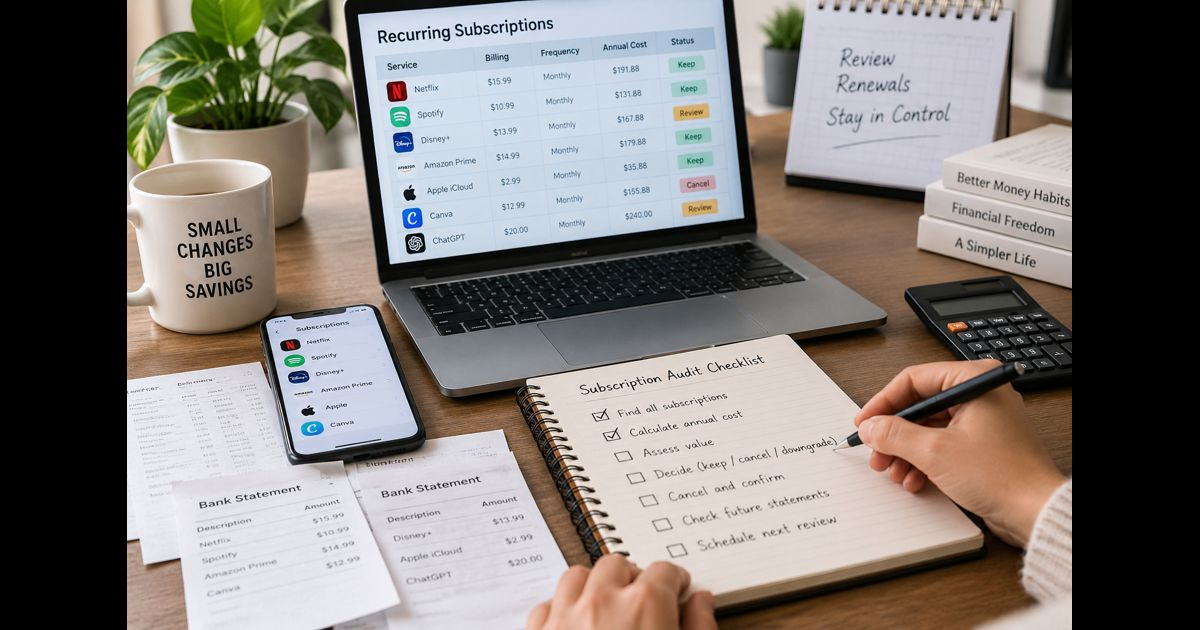
A subscription audit is a complete review of recurring charges, renewal commitments and paid memberships. It involves finding every subscription, calculating its true annual cost, assessing whether it still provides enough value, and choosing whether to keep, change, pause or cancel it.
The most reliable audit uses 12 months of transactions because a shorter review can miss annual and irregular renewals. It should cover bank accounts, credit cards, digital wallets, app stores, direct billing accounts, email receipts and shared household plans. The process ends only after cancellations are confirmed and later statements have been checked for further charges.
The objective is not to eliminate every subscription. It is to make every recurring payment deliberate, visible and appropriate for the way the service is actually used.
Subscription Audit Checklist at a Glance
Use this checklist to complete the audit from discovery through verification:
- Collect 12 months of statements from every bank account and payment card.
- Review digital wallets and automatic-payment agreements.
- Check Apple, Google Play and other app-store subscriptions.
- Inspect streaming devices, gaming accounts and connected TV services.
- Search email accounts for receipts, renewals, trials and invoices.
- Ask household members about shared plans and purchases.
- Record the service, billing provider, cost, frequency and renewal date.
- Convert every charge to a comparable annual cost.
- Identify free trials, duplicates, unused services and unnecessary tiers.
- Confirm who uses and depends on each subscription.
- Assign one action: keep, downgrade, pause, rotate, consolidate, cancel or investigate.
- Export important files and transfer ownership before canceling.
- Cancel through the company or platform that handles the billing.
- Save the confirmation, final access date and refund information.
- Check later statements for unexpected charges.
- Schedule the next review and add reminders for major renewals.
Start With a Complete Subscription Inventory
Memory is not an adequate subscription record. Some services are used too infrequently to remain noticeable, while others appear on statements under a parent company, payment processor or abbreviated merchant name. Annual plans may not appear in several months of transactions.
Review a full year wherever possible. Include:
- Checking and savings accounts used for automatic debits
- Personal and household credit cards
- Older cards that remain open
- Digital wallets
- App stores
- Online payment accounts
- Mobile carrier billing
- Internet or cable bundles
- Smart TV and streaming-device accounts
- Gaming consoles
- Retail memberships
- Services reimbursed by an employer
- Accounts shared with a partner, family member or roommate
A subscription may be billed through a different company from the one providing the service. Record both the recognizable service name and the exact statement description. This makes an unfamiliar future charge easier to identify.
If a recurring transaction remains unclear, search the exact descriptor, inspect past receipts and ask other authorized card users before treating it as fraud. If it still cannot be identified, contact the card issuer through the number shown on the card or official account portal.
Search Email Accounts for Missing Renewals
Statements show payments that have already occurred. Email can reveal commitments that have not yet produced a charge, including free trials and approaching annual renewals.
Search every email address that may have been used for purchases, including older addresses. Useful terms include:
- Receipt
- Invoice
- Subscription
- Membership
- Renewal
- Auto-renew
- Recurring
- Free trial
- Trial ends
- Payment successful
- Payment failed
- Billing confirmation
- Plan upgraded
- Price change
- Thank you for your purchase
Check archived, promotional and spam folders as well as the main inbox. Search for messages from app stores, payment processors and known service providers. A renewal notice may name the service even when the bank statement uses an unfamiliar merchant descriptor.
Email discoveries should be reconciled with transaction records. A receipt does not necessarily mean a subscription remains active, and a current subscription may not send a message every month.
Record the Details That Affect the Decision
A useful inventory needs more than a list of service names. Create one row for each subscription and record the following:
|
Field |
What to record |
|
Service |
The product, membership or plan being used |
|
Statement descriptor |
The merchant name shown on the transaction |
|
Billing channel |
Direct billing, app store, digital wallet, carrier or another provider |
|
Account email |
The login connected to the purchase |
|
Payer |
The person or organization funding it |
|
Users |
Everyone who relies on the service |
|
Current price |
The amount charged per billing period |
|
Billing frequency |
Weekly, monthly, quarterly, annual or variable |
|
Next renewal |
The expected renewal or trial-conversion date |
|
Last used |
The most recent meaningful use |
|
Primary purpose |
The result the subscription is meant to provide |
|
Plan or tier |
The paid package currently selected |
|
Important data |
Files, photos, messages, projects or records stored there |
|
Cancellation method |
Where and how the billing can be stopped |
|
Decision |
Keep, change, pause, consolidate, cancel or investigate |
|
Status |
Pending, completed or awaiting confirmation |
The account email and billing channel are especially important. A person may have several accounts with the same provider, while a subscription purchased through an app store may not be manageable on the provider’s website.
Convert Every Subscription to an Annual Cost
Different billing intervals make subscriptions difficult to compare. Convert each charge to an annual figure:
- Weekly cost × 52
- Monthly cost × 12
- Quarterly cost × 4
- Annual cost = amount charged
- Multi-year cost ÷ number of years
For a variable subscription, use the actual total paid during the review period rather than assuming every charge will remain identical.
For example:
|
Subscription |
Billing arrangement |
Annualized cost |
|
Music service |
$11 monthly |
$132 |
|
Cloud storage |
$30 quarterly |
$120 |
|
Fitness membership |
$120 annually |
$120 |
|
Weekly meal plan |
$8 weekly |
$416 |
Annualized cost is a comparison tool, not always an amount that can be recovered immediately. Canceling an annual plan that has already been paid may stop its next renewal without producing a current refund. Keep future avoided costs separate from money actually refunded or retained.
Calculate three totals:
- Current annual commitment
- Confirmed future cost removed
- Refunds actually received
This distinction prevents projected savings from being reported as cash already recovered.
Evaluate Actual Value, Not Good Intentions
A subscription can be valuable even when it is not used every day. Cloud backup, roadside assistance and specialized reference tools may provide meaningful protection or access despite infrequent use. Frequency alone should not decide the outcome.
Assess each subscription with these questions:
Does It Still Serve a Current Purpose?
Write the result the subscription provides in one sentence. If its only justification refers to an abandoned project, a past routine or something you might begin someday, reconsider it.
Would You Buy It Again Today?
Ignore the effort already spent setting it up and the money already paid. If you encountered the same plan at its current price today, would you choose it again?
A “no” does not always require immediate cancellation, but it signals that the plan needs closer examination.
Is It Being Used Meaningfully?
Opening an app is not the same as receiving value from it. Look for completed workouts, watched programs, saved work, delivered meals, active lessons, completed tasks or another result appropriate to the service.
Is Another Subscription Doing the Same Job?
Compare outcomes rather than feature lists. Two services may appear different but still compete for the same limited time, attention or household budget.
Common overlaps include:
- Multiple video-streaming services
- Several cloud-storage plans
- Two music services
- Duplicate news or publication memberships
- Overlapping fitness programs
- Several productivity or note-taking tools
- Separate services already included in a larger bundle
Overlap does not automatically mean waste. Different household members may need different services, or each product may perform a distinct role. The decision depends on actual use.
Is the Current Tier Appropriate?
A valuable service can still be on the wrong plan. Check whether the account includes unused storage, premium features, excess screens, extra users or professional capabilities that are not needed.
Compare the current tier with:
- A lower paid tier
- A free plan
- A student or household plan
- A seasonal pause
- A smaller storage allowance
- A plan available through an existing bundle
What Is the Cost Per Meaningful Use?
Divide the annualized cost by the number of meaningful uses during the same period:
Cost per use = annualized cost ÷ meaningful annual uses
The result needs context. There is no universal acceptable figure. A high cost per use may be reasonable for an essential specialist service, while a low figure does not justify something that adds little value.
What Would Happen If Access Ended?
Consider the practical consequences:
- Would important files become unavailable?
- Would another household member lose access?
- Would an email address, domain or business system stop working?
- Would stored photos or projects exceed the free-plan limit?
- Would a discount on another service disappear?
- Would canceling break an integration or device feature?
- Would restarting later involve a higher price or new setup?
This check separates an unused convenience from a low-frequency service with important consequences.
Choose the Right Action
Every subscription should receive one clear action.
Keep
Keep the subscription when it serves a current purpose, is used appropriately, has a suitable plan and remains worth its cost.
“Keep” should still include a renewal date and future review. It is a decision for the present period, not permanent approval.
Downgrade
Downgrade when the service remains useful but the current tier includes excess capacity, users or features. Confirm what will happen to stored data before moving to a smaller plan.
Pause
Pause when the need is temporary or seasonal and the provider offers a genuine pause. Confirm whether billing stops completely, how long the pause lasts and whether it resumes automatically.
Rotate
Rotation works well for entertainment, learning and other services that are not needed simultaneously. Cancel one before activating another and record any content or benefits that will be lost.
Consolidate
Consolidate when a household or team is paying separately for services that can appropriately share one plan. Check eligibility, privacy, account control and simultaneous-use limits before combining accounts.
Cancel
Cancel when the subscription is unused, duplicated, no longer relevant, unaffordable or less valuable than an adequate alternative.
Investigate
Use this status when the charge, owner, contract, data impact or cancellation method remains unclear. Set a specific deadline for resolving it so “investigate” does not become indefinite inaction.
Protect Your Data Before Canceling
Cancellation can affect much more than billing. A service may contain photos, documents, designs, messages, playlists, health records, invoices or authentication information.
Before canceling:
- Export files that need to be retained.
- Confirm the export is complete and readable.
- Move shared projects to their correct owner.
- Transfer account administration if other users will continue.
- Replace an email address used for password recovery elsewhere.
- Record license keys or purchase history that may remain useful.
- Check what happens when storage drops below the current usage level.
- Disconnect essential integrations carefully.
- Confirm whether cancellation affects warranties, bundles or other benefits.
Do not treat continued access until the end of a paid period as a reason to postpone cancellation. If cancellation merely disables the next renewal, it can usually be completed while the remaining paid access continues. The confirmation screen should state the actual end date.
Cancel Through the Correct Billing Channel
The service provider, app store and payment method are separate layers. Cancel through the organization that controls the subscription.
If a subscription was purchased through an app store, it may need to be managed there rather than on the developer’s website. Uninstalling an app does not by itself cancel its billing. Removing a card from a wallet also may not terminate the underlying agreement.
For each cancellation:
- Sign in through the official app or website.
- Confirm that you are using the account connected to the payment.
- Open the subscription, membership or billing settings.
- Review the access end date and any loss of benefits.
- Select cancellation rather than pause if cancellation is intended.
- Decline retention offers unless they solve the original value problem.
- Complete every confirmation screen.
- Save the final confirmation page or email.
- Record the cancellation date and expected final charge.
- Check whether a separate automatic-payment authorization remains active.
Some interfaces use dark patterns that make the lower-cost or cancellation choice less visible. Read the final status carefully. “Offer declined,” “reminder set,” “plan paused” and “auto-renew turned off” do not always have the same effect.
A discount does not make an unused service useful. However, a lower price can make a genuinely valued service reasonable to retain. Reassess the service itself before accepting the offer.
Understand Cancellation, Refunds and Account Deletion
These actions are related but not interchangeable:
|
Action |
What it normally changes |
|
Cancel subscription |
Stops a future renewal or ends paid access under the provider’s terms |
|
Request refund |
Asks for money already charged to be returned |
|
Disable automatic payment |
Prevents a payment provider from making future authorized payments |
|
Delete account |
Removes or closes the user account, subject to the provider’s process and retention rules |
|
Uninstall app |
Removes software from a device but does not necessarily affect billing or the account |
Do not assume that cancellation creates an automatic refund. Review the provider’s refund policy and submit a separate request if appropriate.
Account deletion should usually come after data export, cancellation confirmation and recovery-email changes. Closing old accounts can reduce unnecessary digital footprint exposure, but deletion may remove receipts, purchase records or access needed to resolve a billing dispute.
Review Shared and Work-Related Subscriptions Carefully
A payer may not be the only person using a subscription. Before changing a family, household or team plan, identify:
- The account owner
- The payment owner
- Every active user
- Stored shared data
- Devices or services connected to the account
- Benefits attached to the plan
- The person responsible for the renewal decision
For workplace software, also check seat assignments, former employee access, administrator roles, integrations, contract terms and data ownership. An apparently inactive account may own shared files or automations that other people still depend on.
Remove unnecessary access when a service remains active. Canceling billing and reviewing app permissions are separate tasks; an app or connected account may retain authorized access even after its paid plan ends.
Verify That the Cancellation Worked
A cancellation is not complete merely because the process was started. Keep evidence showing:
- Service and account name
- Cancellation date
- Confirmation number
- Final access date
- Expected final charge
- Refund request and status
- Screenshot or confirmation email
- Support correspondence, if any
Check the next bank or card statement. For annual plans, keep the renewal reminder until the former renewal date has passed without another charge.
If billing continues, contact the provider using the saved confirmation. If the issue is not resolved, contact the payment provider or card issuer and follow its dispute process. Preserve statements, emails and screenshots rather than relying on memory.
Build a System That Prevents Subscription Creep
A single audit fixes the current list. A simple control system prevents the same problem from returning.
Use a Renewal Calendar
Add reminders for annual and other high-cost renewals far enough in advance to review the plan and complete any required notice period. Record the renewal date itself as well as the decision deadline.
Centralize New Subscription Records
Whenever a new plan or trial begins, immediately record:
- Price after the trial
- Billing interval
- First charge date
- Renewal date
- Billing channel
- Cancellation location
- Intended purpose
This takes less time than reconstructing the information later.
Separate Trials From Ongoing Commitments
A free trial is a pending purchase decision. Add its conversion date to the calendar when enrollment occurs, not when the trial is nearly over.
Use Fewer Payment Channels Where Practical
Concentrating recurring costs on one chosen card can improve visibility, but it is not a substitute for an inventory. App stores, wallets and direct debits may still sit outside that card.
Review Price-Change Notices
A retained subscription was approved at a particular price and level of service. When either changes materially, reassess the decision rather than allowing the previous choice to continue automatically.
Include Subscriptions in a Broader Digital Review
Recurring charges are part of digital clutter when accounts, apps and services remain after their purpose has disappeared. Reviewing them together can reveal unused software, forgotten accounts and unnecessary notifications as well as financial waste.
How Often Should You Audit Subscriptions?
A quarterly review is practical for most households because it catches new trials and monthly plans before they remain unnoticed for too long. A full 12-month review should still be completed periodically to capture annual renewals.
Review sooner after:
- Moving or changing routines
- Starting or leaving a job
- Completing a major project
- Replacing a payment card
- Combining households
- Changing schools
- A significant price increase
- A family-plan membership change
- Discovering an unfamiliar recurring charge
The best schedule is one that occurs before expensive renewals, not after them.
Common Subscription Audit Mistakes
Reviewing Only One Bank Account
Subscriptions may be spread across cards, wallets, app stores and household accounts. A partial review creates false confidence.
Looking Back Only One Month
Monthly charges may appear, but annual and irregular renewals can remain hidden.
Canceling Solely Because Use Is Infrequent
Some services provide protection, storage or specialized access whose value is not measured by daily use.
Keeping a Service Because It Is Inexpensive
Several small payments can create a significant combined commitment. More importantly, low price does not create value where none exists.
Accepting an Annual Plan Too Quickly
Annual billing can reduce the average monthly price but increases commitment and may limit flexibility. Choose it only when continued use is highly likely and the cancellation terms are understood.
Uninstalling Instead of Canceling
Removing an app from a device does not necessarily stop its subscription.
Ignoring Stored Data and Shared Users
Immediate cancellation can cause avoidable data loss or interrupt other people’s access.
Counting Avoided Renewals as Immediate Savings
Stopping next year’s renewal is valuable, but it is different from receiving money now.
Failing to Save Proof
Without a confirmation, resolving an unexpected later charge can become more difficult.
Subscription Audit Template
Copy this table into a spreadsheet or note and complete one row for every recurring commitment:
|
Service |
Billing channel |
Cost |
Frequency |
Annual cost |
Renewal date |
Last meaningful use |
Users |
Data risk |
Action |
Confirmation |
After completing the table, sort it three ways:
- Highest annual cost
- Nearest renewal date
- Subscriptions marked cancel, investigate or change
This order exposes the largest commitments, the most urgent decisions and the actions that still require completion.
Frequently Asked Questions
How far back should a subscription audit go?
Review 12 months of transactions whenever possible. This captures monthly, quarterly and annual charges. If time is limited, begin with three months, then search email and account histories specifically for annual renewals.
Are bank statements enough to find every subscription?
No. Statements do not reliably reveal future trial conversions, subscriptions billed under unfamiliar merchant names or plans attached to other payment accounts. App stores, digital wallets, email receipts and shared accounts must also be checked.
Should every unused subscription be canceled immediately?
Not before confirming stored data, shared users, contractual obligations and the consequences of losing access. Once those risks are resolved, canceling before another renewal is usually more reliable than waiting until the last day.
Is switching from monthly to annual billing always cheaper?
The listed annual price may be lower, but it is only better value when the service will remain useful for the full term. Flexibility, refund rules and the risk of changing needs should be included in the decision.
How can I tell whether a subscription is worth keeping?
Consider its current purpose, meaningful use, annual cost, available alternatives, plan size and the consequences of losing access. A subscription is worth retaining when its practical benefit remains greater than its financial and nonfinancial costs.
How often should subscription renewals be checked?
Review the complete list quarterly and place separate reminders before expensive or annual renewals. New trials should be recorded as soon as they begin.
Make Every Renewal a Fresh Decision
A strong subscription audit does more than find forgotten charges. It establishes which services still serve a real purpose, whether their plans match actual use and what needs to happen before access ends.
The completed audit should leave no ambiguous recurring payment. Every item should have an identified owner, annual cost, renewal date and deliberate action. Cancellations should be documented, important data should remain accessible, and future renewals should arrive as decisions rather than surprises.